

Part 1: Rogue Admins and Group Owners vs. Your Access Packages
Administrators have used groups to control access to resources since God was a boy. The old AGDLP (or AGUDLP, depending on how you learned it) model worked well for years and should still be second nature for managing access in on-premises Active Directory.

But the world has moved on. With the advent and evolution of Entra ID, we now have more powerful ways of managing access in the cloud. Features such as Entitlement Management, Access Packages, and Access Reviews provide capabilities that traditional AD groups never could.

There is a problem though.
When you add a group as a resource in an Access Package, there is nothing stopping a group owner or an admin with no respect for process from bypassing governance and adding users directly to that group.
And just like that, your carefully designed access package strategy is toast.
In this post, I will explain the issue; why group owners and rogue admins are a risk, and the approach I use to stop it.
In Part 2, I will walk through the technical steps to implement the solution in Entra ID.
The Problem: Backdoors to Your Process
Think about it. You have built a clean entitlement management process: requests, approvals, reviews, lifecycle management. Everything flows through clear governance controls.
But if a group owner adds a user directly, all of that work is bypassed. The access exists, and while you might catch it eventually with an access review, how long might that be?
You could also set up monitoring and alerts for changes in group membership, and if the access is particularly sensitive, you probably should. But alerts are still after the fact. By the time you are investigating, the access has already been granted, and the horse has bolted from the stable.

What we are really after is a way to stop it from happening in the first place. Prevention beats detection every time.
The Solution: Restricted Administrative Units
Here is the approach I use:
Create a restricted Administrative Unit (AU) in Entra ID.
Move the groups used in Access Packages into that AU.
Grant Entitlement Management the rights it needs within the AU.
What this achieves:
Group owners and admins cannot add members behind the scenes.
All membership changes flow through Entitlement Management.
PIM still provides just-in-time access to manage the AU when needed.

What About Group Owners?
"Can’t group owners just add users?"
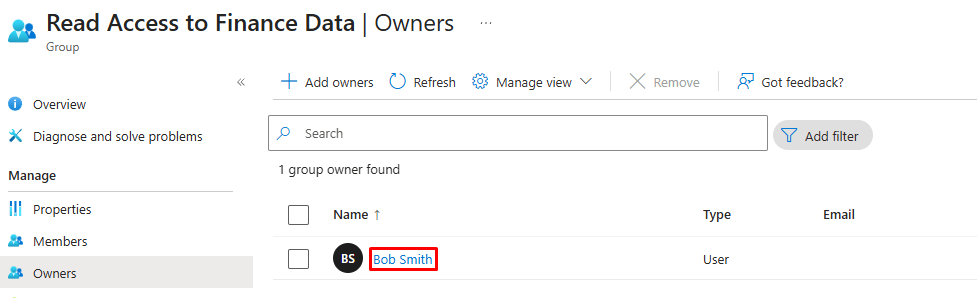
Yes, and that is part of the problem. By default, group owners can add or remove members. That bypasses your processes and makes governance meaningless.
The trick is to separate business accountability from technical control. Groups should still have owners. They are the ones who understand what the group is for, why it exists, what type of access it represents, and whether it is still needed as part of its lifecycle. They are essential for approvals, reviews, audits, and deciding when a group has outlived its purpose.
But once the groups move into a restricted AU, owners lose the ability to change membership directly. They still own the group in a business sense, but every change to membership goes through Entitlement Management. That way changes can be reviewed, tracked, audited and revoked when no longer appropriate.
That way you get the best of both worlds:
Business accountability from owners.
Governance and enforcement from Entitlement Management.
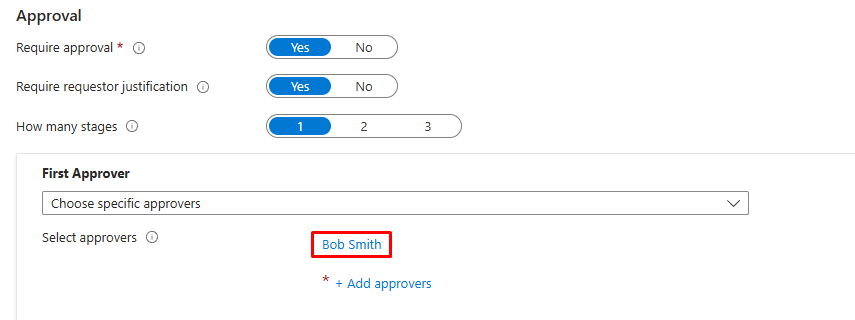
Bonus tip: Make the group owner the approver of the access package? That way we are still giving control to the resource owners while ensuring the governance is handled by Entra.
What About Rogue Admins?
It is not just group owners you need to worry about. In many environments, administrators have broad rights over groups by default. That means another admin could still add or remove members directly, bypassing your carefully designed access package strategy.
Restricted Administrative Units stop this as well. By moving groups into a Restricted AU and limiting who can manage them, you close off this backdoor. Regular admins lose direct control. If someone needs to make changes, they must go through PIM.

In other words:
Day-to-day admins cannot tamper with membership.
Elevated access must go through PIM, which adds approval, time limits, and auditing.
Entitlement Management remains the single source of truth for access.
Why This Works
By moving those groups into a restricted AU, you are effectively putting them behind a velvet rope:
Governance is preserved.
Business owners are still accountable.
Reviews stay accurate.
And your auditors do not chase you down asking why Bob from Finance magically appeared in the "Global Admin Test" group.
It is not glamorous, but it is clean, effective, and makes sure your Access Package strategy actually works as designed.
Coming Up Next: Part 2 - The Implementation
In this post, we focused on the issue: how group owners and admins can bypass your carefully crafted access package strategy, and how restricted Administrative Units can close that backdoor.
In Part 2, I will show you the step-by-step implementation:
How to create a restricted Administrative Unit and move your groups into it.
How to configure PIM and Entitlement Management so you keep governance without losing flexibility.
Locking it down in theory is good, but locking it down in practice is even better.